
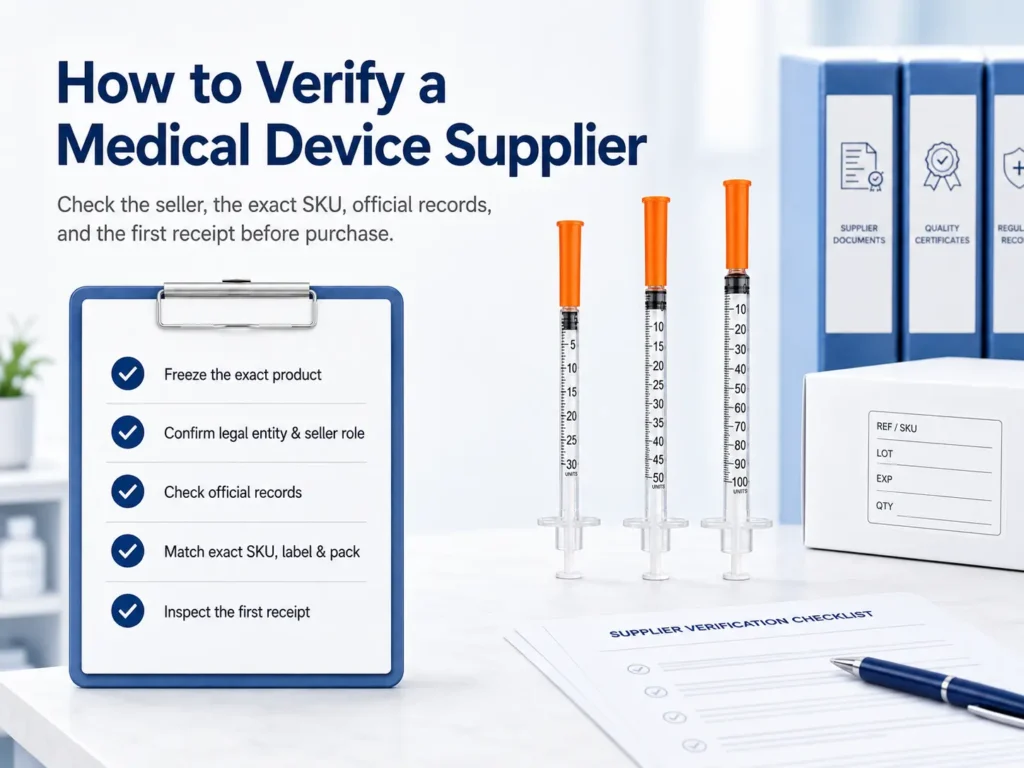
U.S. Medical Device Buyer Verification Guide
Verify the seller, the exact product and the supply route before committing to an order. Our guide connects public records with the quotation, labeling, quality evidence and first receipt.
Reviewed by
Review scope: Supplier identity, sourcing evidence and B2B purchasing controls.
Background: Medical-supply sourcing, supplier qualification and B2B procurement support.
Review scope: Quality records, sterilization claims and product traceability.
Background: Quality-documentation review for medical consumables and supply programs.
Review scope: Public classification, registration, listing and premarket records.
Background: Regulatory research for medical-device sourcing and procurement.
Scope: U.S. institutional purchasing of finished medical devices and consumables. Use this procurement framework with the exact product labeling, applicable requirements and your approved procedures. It does not replace a product-specific regulatory assessment or clinical decision.
Direct answer
How Do You Verify a Medical Device Supplier Before Purchasing?
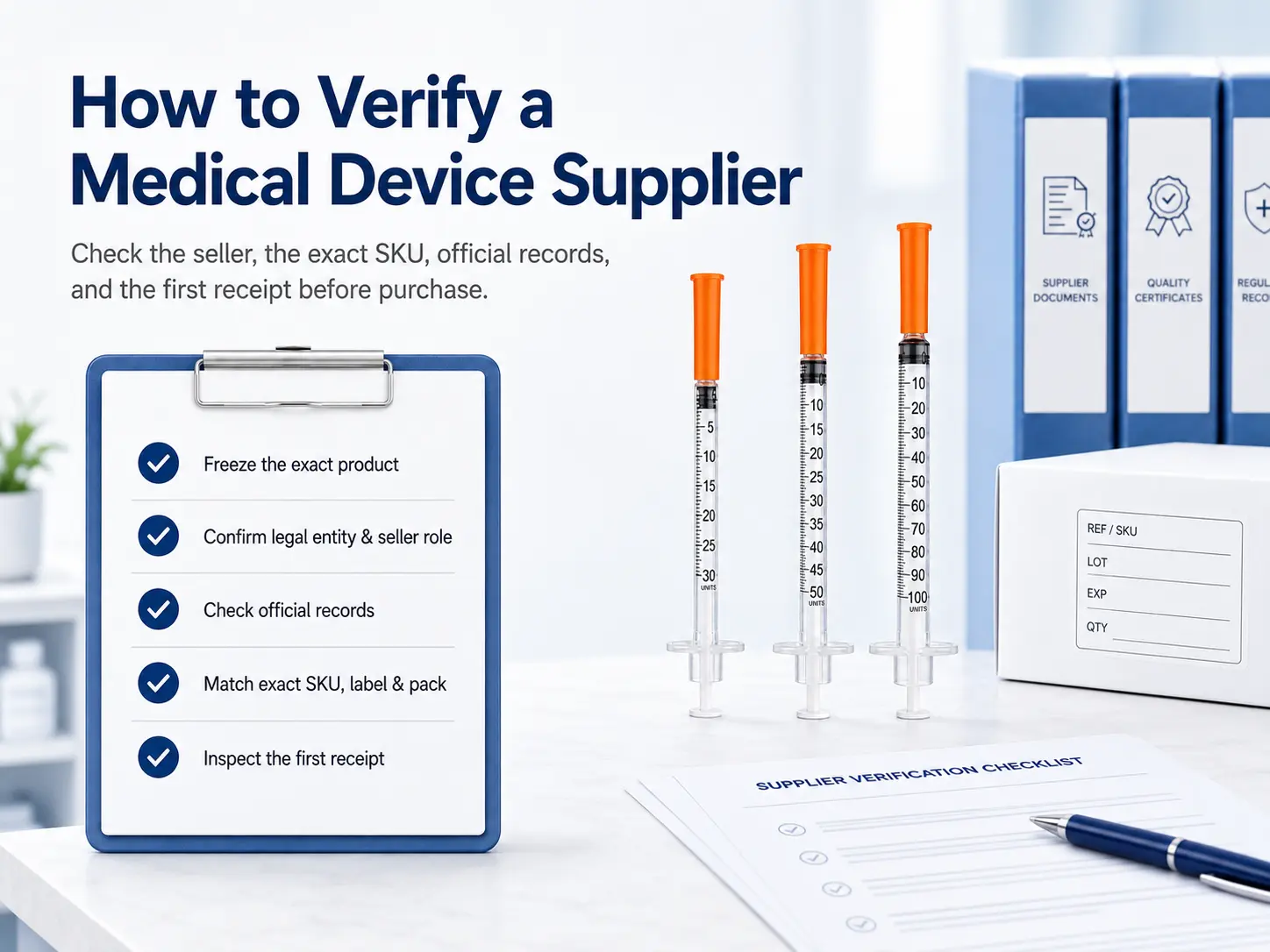
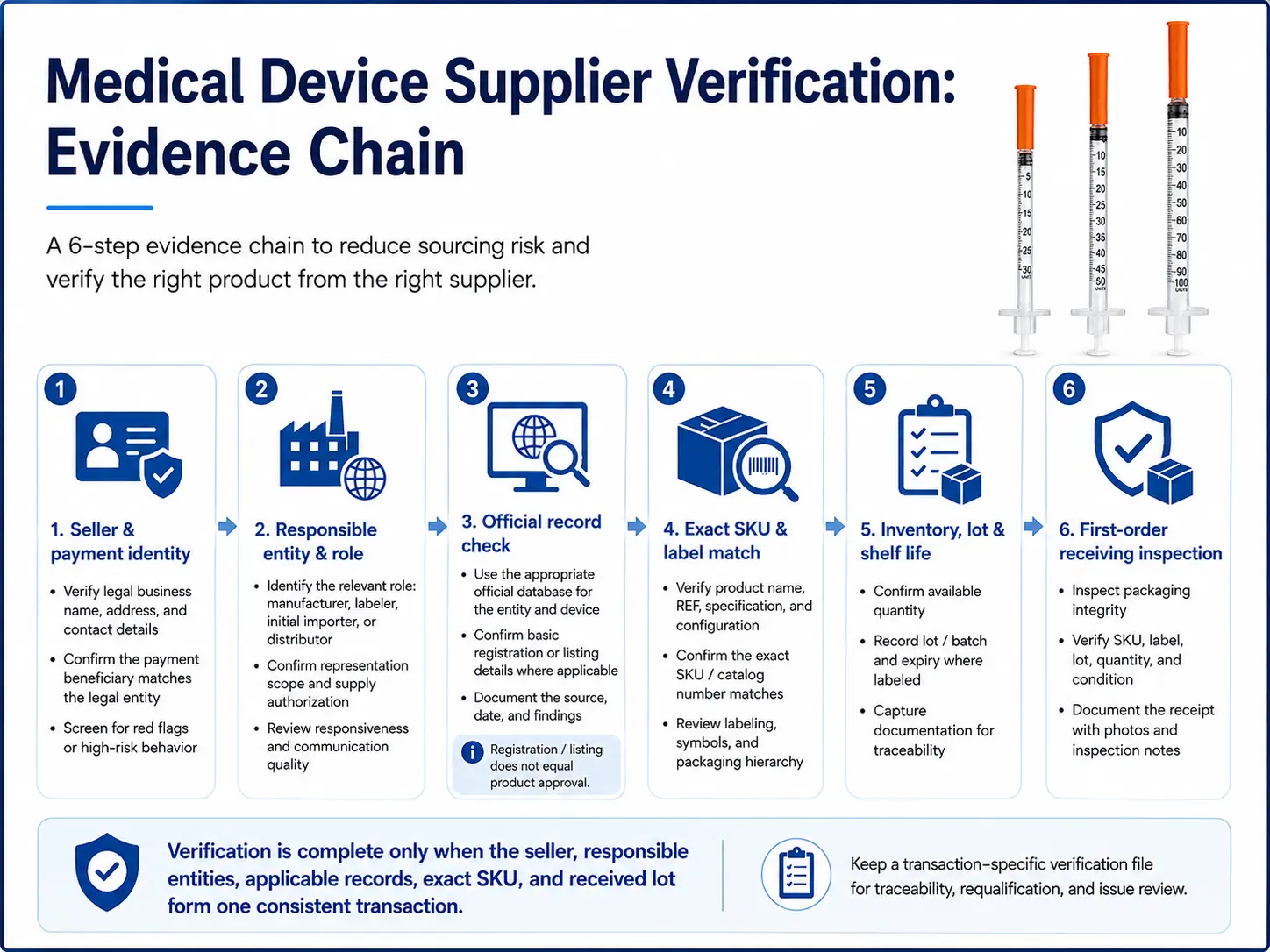
Confirm the seller’s identity and actual role, then reconcile the exact quoted SKU with the responsible manufacturer, applicable official records, labeling, quality evidence and supply source. Check inventory and order terms, inspect the first receipt, and record who approved the defined product and transaction.
A database entry, certificate or sample answers only part of the question. Use the evidence chain below, then record findings in our verification checklist and evidence ledger.
Verification boundary
1. Supplier Verification Is Not the Same as Supplier Evaluation
Verification connects a claim to evidence: the legal company, its role, the relevant device record, and the quoted REF, label and pack.
Evaluation compares price, delivery, capacity and service after critical evidence is reconciled. Keep purchasing scores separate from unresolved identity or product gaps.
Use a transaction-specific verification file
Record the date, source URL, search terms, screenshot or exported result, reviewer, unresolved discrepancy and final disposition. Public data and commercial details change; an undocumented search cannot be reliably repeated during requalification or a complaint investigation.
Before searching
2. Freeze the Exact Product and Quotation
A category name such as “sterile syringe” is insufficient. Obtain a quotation that identifies the seller and fixes the manufacturer REF, specifications, intended market, labeling and packaging before reviewing records.
| Field to freeze | Why it matters | Typical evidence |
|---|---|---|
| Seller legal name and address | Identifies the contracting and invoicing entity | Quote, business record, contract |
| Legal manufacturer and brand | Routes the buyer to the relevant product records | Label, IFU, product data sheet |
| Manufacturer REF and supplier SKU | Separates an exact configuration from a product family | Quote, label, catalog, approved sample |
| Key specifications and intended market | Prevents a record for a different size, use or market being reused | Controlled specification, U.S. labeling |
| Each / box / case hierarchy | Controls price comparison, barcode and receiving accuracy | Pack specification, GTIN or UDI data |
| Substitution rule | Prevents an “equivalent” device from bypassing approval | PO clause and written exception process |
Our insulin syringe supplier guide applies these checks to a specific product category. Other devices need their own classification, evidence and acceptance criteria.
Entity resolution
3. Identify Every Legal and Commercial Entity
The website, invoice, label and regulatory record may name different companies. Identify each party and document the relationship rather than requiring every name to be identical.
- Commercial seller named on the quote and contract
- Invoice issuer and the proposed payment beneficiary
- Legal manufacturer and physical manufacturing site
- Labeler or private-label entity shown on the device label
- Repackager, relabeler or specification developer, if applicable
- Initial importer for a foreign-manufactured device, if applicable
- U.S. agent for a foreign establishment, noting that this is a distinct role
- Warehouse or third-party logistics provider holding the inventory
Name differences can be legitimate. Require an explanation and supporting records sufficient to connect the contracting seller to the responsible manufacturer and quoted product.
Use the right expectation
4. Determine Whether the Seller Is a Manufacturer, Distributor or Importer
FDA registration duties depend on the activity. A U.S. distributor that does not import generally does not register or list for that role. An initial importer registers and identifies its manufacturers, but does not list devices in that role. Manufacturers, relabelers, repackagers and foreign exporters have different obligations. Use the current FDA activity table.
| Actual role | Reasonable public-record expectation | Primary buyer check |
|---|---|---|
| Domestic distributor that does not import | May not appear in Registration & Listing | Product source, manufacturer, traceability and commercial authority |
| Wholesale distributor, not a manufacturer or importer | Does not register or list for that role | Exact SKU, lawful source, returns, complaints and recall cooperation |
| Initial importer | Registers; does not list devices in that role | Importer identity, foreign manufacturer and complaint responsibilities |
| Manufacturer | Generally registers and lists applicable devices | Entity, site, activity, device listing and market pathway |
| Relabeler or repackager | Generally registers and lists | Label or pack version, responsible entity and applicable listings |
| U.S. import broker or agent without first possession | No registration or listing for that activity alone | Disclosed principal and responsible importer; assess any additional activities |
| Foreign exporter offering devices for U.S. import | Generally registers and lists for that activity | Exporter establishment, device listing and manufacturer relationship |
Official source: FDA: Who Must Register, List and Pay the Fee. Role-specific exceptions and the exact activities performed must still be assessed; this table is not a substitute for 21 CFR Part 807 analysis.
Commercial identity
5. Verify Business and Payment Identity
Match the contracting seller, invoice issuer and proposed payment beneficiary. Verify changes through an independently known contact; document any approved payment-agent arrangement.
Confirm independently
- Legal name, jurisdiction, registered address and active status
- Business domain, email domain and established contact channels
- Tax, resale, wholesale or state credentials required for the transaction
- Authorized signatory and relationship to the contracting entity
- Physical warehouse identity when domestic stock is claimed
Control payment changes
- Compare invoice seller with account beneficiary
- Require a written explanation for legitimate third-party payment structures
- Confirm new or changed bank instructions through a known, independent channel
- Do not rely solely on reply email or a document sent with the change request
- Escalate urgent payment pressure combined with identity inconsistencies
Apply the business-registration, licensing and transaction-screening controls relevant to your organization and jurisdiction. FDA device records do not replace these checks.
Official database check
6. Search FDA Establishment Registration and Device Listing Correctly
- Search the entity expected to register. Use the legal manufacturer, manufacturing site, relabeler, repackager or initial importer—not automatically the commercial distributor name.
- Try controlled name variants. Search the full legal name, former name, address, owner/operator number or registration number supplied by the company.
- Review the establishment activity. A record for an importer or contract sterilizer is not evidence that the same company manufactured the device.
- Review the applicable device listing. Match the device name, product code, proprietary name and activity to the offer. For an initial importer, identify the manufacturers and check the relevant manufacturer listings rather than expecting an importer device listing.
- Save dated evidence. Record the search terms, source URL, retrieved result and any unresolved gap. Public records and supplier documents may update at different times; investigate discrepancies before approval.
Registration and listing do not mean approval
FDA states that establishment registration, assignment of a registration number and device listing do not denote approval of an establishment or its products. FDA also states that it does not issue device registration certificates to medical device facilities. A decorative “FDA certificate” must not replace a database search.
Use the official FDA Establishment Registration & Device Listing database and review FDA’s explanation of “FDA registered” and “FDA certified” claims.
Product-specific requirement
7. Determine the Device Classification and Premarket Pathway
Use the device name, regulation number and product code to establish classification and applicable controls before requesting a premarket number. The device may use 510(k), De Novo, PMA, another applicable pathway or a premarket-notification exemption.
Many Class I and some Class II devices are 510(k) exempt, subject to limitations. An exemption does not automatically remove other applicable registration, labeling, quality-system or reporting obligations.
Clearance or approval mapping
8. Verify the Applicable 510(k), De Novo or PMA Record
Search the claimed K, DEN or PMA number in the appropriate official database. Compare the applicant, device name, product code, regulation, intended use, decision and available public documents with the offer.
| Supplier statement | What to verify | Do not assume |
|---|---|---|
| “510(k) cleared” | K number, applicant, device, product code, intended use and SKU relationship | That the clearance covers every model, label or materially changed product |
| “510(k) exempt” | Product code, regulation, class and exemption limitations | That all other FDA requirements are removed |
| “De Novo authorized” | Request number, requester, device type and classification order | That unrelated products from the same company are covered |
| “FDA approved” | The relevant PMA or other approval record and exact device | That registration, listing or 510(k) clearance equals approval |
The seller and applicant may differ. Obtain a documented connection to the responsible manufacturer and exact product; a similar photo or device name is insufficient.
Core evidence test
9. Match the Quoted SKU Across Four Evidence Sources
A public record may describe a device family rather than every commercial REF. Reconcile the quotation, actual label, controlled product documents and official record to establish how the offered configuration fits that family.
Quote & PO
Seller, supplier SKU, manufacturer REF, brand, specification, quantity and pack hierarchy.
Label & Sample
Manufacturer, labeler, model, UDI, lot, expiration, sterility statement and physical configuration.
Controlled Documents
Specification, current labeling, premarket mapping, listing references and quality-system scope.
Official Records
Responsible entity, activity, product code, pathway, device name and submitted identifier data.
Reconcile, as applicable:
- Commercial seller
- Legal manufacturer
- Labeler or private-label entity
- Brand and device name
- Model, REF or catalog number
- Product code and premarket record
- UDI-DI or GTIN
- Critical dimensions and performance specifications
- Sterility and single-use status
- Package quantity and hierarchy
- Intended use and destination market
- Label or artwork revision
Use our documentation support to organize questions for the selected SKU. Our published support scope defines the information we provide and the responsibilities retained by the buyer.
Worked mismatch exercise: one document cannot close every gap
Illustrative training example with invented identifiers; this is not a customer case or a completed supplier audit.
| Finding | Record in the ledger | Next control |
|---|---|---|
| Quote says Example-REF-A; sample label says Example-REF-B. | Record both references and the label revision; attach the quote and label image. | Hold the SKU decision until the relationship or corrected offer is documented and approved. |
| Quote says 20 boxes per case; packing list says 36. | Record the unit hierarchy and calculate quantity using the confirmed configuration. | Resolve price, quantity and packaging before releasing the order. |
| Company-level ISO certificate is offered as lot-release evidence. | Keep the quality-system scope check separate from the product or lot-release check. | Request the applicable product and lot evidence; the ISO certificate alone does not close that gap. |
Our method records the expected field, observed evidence, discrepancy, owner and disposition. It illustrates an evidence workflow; it does not determine a real product’s regulatory status.
Identifier check
10. Verify UDI and GUDID Information Where Applicable
Where UDI applies, read the Device Identifier from the actual label and search AccessGUDID. Compare the labeler, brand, model or version, catalog number and package information.
The DI identifies the device version or model. Conditional PI fields can contain lot, serial number, expiry or manufacture date; GUDID does not store those PI values. Read actual lot and expiry from the received labeling and records.
Investigate a missing result: check the identifier, packaging level, requirement and any exception. Use AccessGUDID with FDA’s UDI guidance.
Quality evidence
11. Validate ISO 13485 and Other Quality-System Evidence
If supplied, verify the ISO 13485 certificate with the issuer or an appropriate accreditation-backed source. Match the entity, site, certificate number, standard, scope, dates and current status to the supplied activity.
FDA’s QMSR became effective February 2, 2026 and incorporates ISO 13485:2016 with additional FDA requirements. FDA does not require or issue ISO 13485 certificates, and a certificate does not exempt a manufacturer from FDA inspection. A certificate is quality-system evidence, not product clearance or “FDA certification.”
- Confirm the certificate covers the relevant site—not only a headquarters address
- Read the scope; do not assume it covers every device in the seller’s catalog
- Check whether the certificate is current, suspended, withdrawn or superseded
- Ask how specifications, release, nonconformance, complaints and changes are controlled
- Request product-specific evidence at a level appropriate to the device and transaction
Official source: FDA QMSR Frequently Asked Questions.
Context, not a binary verdict
12. Check Recalls, Warning Letters, Import Alerts and Inspection Information
Search the responsible entities, former names, product and applicable premarket identifiers. Assess the event’s date, scope, status, affected lots and response. A recall is not an automatic rejection; an empty search is not proof of no risk.
| Source | Useful question | Important limitation |
|---|---|---|
| Medical Device Recalls | Was a related product or lot recalled, and why? | Assess scope, status and corrective response; do not treat all recalls alike |
| Warning Letters | What violations did FDA communicate at the time? | The firm’s status may have changed after the letter; review follow-up context |
| Import Alerts | Is a relevant firm or product subject to detention without physical examination? | Search entity, address, product and country carefully; applicability is specific |
| Inspection data | What final public classifications are available? | FDA states that not all inspections are included in its public dashboard |
Supply-chain authority
13. Verify Product Source and Distribution Authority
Trace the product to the manufacturer, importer or upstream distributor. For strategic or higher-risk purchases, confirm the relationship through an independently known manufacturer contact where practicable.
Check an authorization letter’s issuer, recipient, territory, product scope, dates and signatory. It is commercial evidence. If confidentiality limits disclosure, agree an alternative evidence route that still resolves the material question.
Private-label products require a separate responsibility map
For private label, document the manufacturer and labeler roles and applicable listing, UDI, complaint, reporting and recall responsibilities. Review our private-label support and labeling process before approving artwork.
Product and lot evidence
14. Verify Sterility, Shelf Life and Lot Traceability
For a device represented as sterile, match the label claim, sterilization method, packaging and shelf life to appropriate product evidence. Assess lot-release records relevant to the agreed transaction; a certificate for an unrelated product or run is insufficient.
Before purchase
- Confirm sterile or non-sterile status and the intended presentation
- Verify shelf life and minimum remaining shelf life at shipment
- Request the lot-release or certificate-of-conformance process
- Confirm lot and expiration format on each required packaging level
- Document complaint, quarantine, field-action and recall contacts
Test traceability
- Select a sample lot and connect it to the received PO
- Locate on-hand inventory and downstream distribution records
- Demonstrate quarantine and stop-ship controls
- Identify who sends notifications and reconciles returned units
- Record the time needed to complete the desktop exercise
Turn claims into order data
15. Test U.S. Inventory and Fulfillment Claims
Request dated, order-specific evidence for the exact REF, available-to-promise quantity, inventory status and applicable lot and expiry. Distinguish allocated or available stock from expected receipts. A U.S. address alone does not establish stock availability.
- Verify the exact manufacturer REF and package level held in stock
- State minimum remaining shelf life in the PO or supply agreement
- Separate warehouse handling time from carrier transit time
- Confirm backorder, allocation and partial-shipment rules
- Ask for upstream replenishment lead time and shortage-notification timing
- Use the first order to compare promised and actual processing milestones
Our fulfillment service and wholesale programs support supply planning. We confirm the selected SKU, availability, documentation and delivery terms in the quotation.
Before funds are released
16. Complete Payment and Purchase-Order Controls
| Control | What the written record should define |
|---|---|
| Entity and payment | Contract seller, invoice issuer, payment beneficiary and approved exceptions |
| Product identity | Manufacturer REF, supplier SKU, specification, label and pack hierarchy |
| No silent substitution | Prior written approval for any product, site, material, label or package change |
| Lot and shelf life | Lot disclosure, minimum remaining shelf life and nonconforming-lot remedy |
| Delivery | Incoterm where applicable, ship point, handling window, carrier and allocation rules |
| Acceptance and remedy | Inspection period, shortages, damage, returns, replacement, credits and escalation |
| Lifecycle events | Complaint exchange, recall cooperation, change notification and record access |
Adapt the written controls to your transaction with the appropriate purchasing, quality and legal functions. The table is a decision checklist, not a universal contract.
Verify the real transaction
17. Inspect a Sample and a Controlled First Order
A sample supports physical, label and packaging review. Retain an approved sample or controlled images, then reconcile a limited first commercial receipt. A sample alone does not establish ongoing consistency, future-lot conformity or commercial stock.
Approve
Record sample, label and specification revision.
Order
Issue a PO with exact REF, pack and no-substitution rule.
Receive
Capture count, lot, expiration, UDI and packaging condition.
Reconcile
Match the received item to approved records and documents.
First-receipt acceptance checks
- Seller, purchase order and packing slip are consistent
- Manufacturer REF and supplier SKU match the approved product
- Device, label, packaging and package count match the approved revision
- UDI, lot and expiration are present and readable where required
- Remaining shelf life meets the written requirement
- Packaging is intact, with no unexplained relabeling or over-stickering
- Agreed CoC or lot documents identify the received product or lot
- Actual processing, transit and communication match the quotation
- Received lot can be linked to the PO and inventory location
Document the outcome
18. Classify the Result: Verified, Conditional, Hold or Reject
Use these four statuses as an internal purchasing framework. They are not FDA classifications. Define who can approve the decision and its limits.
Evidence reconciled
Named supplier, exact SKU, packaging and approved supply route may proceed within recorded limits.
Limited exception
A defined, noncritical gap has an owner, deadline, temporary control and purchasing limit.
Material question open
Do not release payment or accept substitution until identity, evidence or terms are resolved.
Unacceptable evidence
False statements, unresolved identity, nonconforming product or unacceptable risk prevents approval.
Limit approval to the named seller, responsible manufacturer, approved SKUs, label and pack versions, destination and agreed supply route. Record re-verification triggers; do not extend approval to the entire catalog.
Escalation triggers
19. Medical Device Supplier Verification Red Flags
- An “FDA certificate” is presented as proof that a device is approved
- The supplier will not identify the legal manufacturer or exact REF
- A 510(k) belongs to an unrelated device, use, product code or company
- The quoted configuration cannot be mapped to current labeling or records
- The ISO certificate site or scope does not cover the relevant operation
- Names and addresses change across quote, label, certificate and payment request
- The supplier reserves the right to ship an undefined “equivalent” product
- U.S. inventory is claimed without REF-level quantity, lot or expiration evidence
- Documents are expired, altered, unreadable or lack an independent verification route
- Bank details change immediately before payment with urgent pressure
- Sample labels differ from the commercial quote without a controlled explanation
- Complaint, recall, return or change-notification responsibilities are undefined
Investigate a red flag using its severity, explanation and independent evidence. Record a hold or escalation when a material question remains; do not treat every discrepancy as proof of fraud.
Procurement tool
20. Supplier Verification Checklist and Evidence Tools
Use our blank checklist, evidence ledger and RFQ brief to record actual findings. The ledger adds a source, applicability basis, gap owner and disposition to each check. These are editorial working tools, not completed audits or evidence of a supplier’s performance.
- Fix the product, seller and destination.
- Map each party’s actual role.
- Check applicable public and product records.
- Reconcile labeling, quality evidence and source.
- Confirm stock, lot, shelf life and order controls.
- Inspect the first receipt.
- Record scope, disposition and re-verification triggers.
Pre-purchase verification checklist
Complete the original 21 checks and record supporting evidence.
View or manually copy this template
TONMIT SUPPLIER VERIFICATION CHECKLIST
Revision: 2026-10-14. Blank working template; not a completed audit.

Seller / manufacturer / REF / destination:
Reviewer / check date / evidence file:

1. [ ] Record the seller’s full legal name, address and authorized contact.
2. [ ] Confirm the quote, contract, invoice and proposed payment beneficiary.
3. [ ] Freeze the legal manufacturer, brand, REF, supplier SKU, specification and pack.
4. [ ] Identify the manufacturer, labeler, importer, relabeler and distributor roles as applicable.
5. [ ] Search the entity expected to appear in FDA Registration & Listing.
6. [ ] Verify establishment activity, address and device listing; save the date and result.
7. [ ] Determine product code, device class, regulation and premarket pathway.
8. [ ] Verify the K, DEN or PMA number when applicable.
9. [ ] Document why an exemption applies when no premarket submission is required.
10. [ ] Match quote, label, controlled documents and official records.
11. [ ] Search the UDI-DI in AccessGUDID where applicable.
12. [ ] Validate the ISO 13485 certificate site, scope, issuer and current status if supplied.
13. [ ] Search relevant recalls, Warning Letters, Import Alerts and public inspection data.
14. [ ] Verify product source and any distribution-authorization evidence.
15. [ ] Confirm sterile status, shelf life, lot-release evidence and traceability as applicable.
16. [ ] Confirm exact-SKU inventory, lot, expiration and fulfillment terms.
17. [ ] Write no-substitution, shelf-life, acceptance, return and change controls into the PO.
18. [ ] Inspect and retain an approved sample or controlled comparison record.
19. [ ] Complete a controlled first-order receipt and reconcile every critical field.
20. [ ] Record Verified, Conditional, Hold or Reject status with scope, owner and date.
21. [ ] Set re-verification triggers for renewal, change, complaint, recall or performance failure.

For every check, record the source, date, finding and disposition.
If not applicable, record the basis. Resolve critical gaps before approval.
Approval scope / status / decision owner / date / next review:
Evidence matching ledger
Use one record per field or claim; do not merge unrelated evidence.
View or manually copy this template
TONMIT SUPPLIER EVIDENCE MATCHING LEDGER
Revision: 2026-10-14. Complete one record per claim or field.
Blank editorial worksheet, not a certification or a completed QC record.

Verification file / seller / manufacturer / exact REF:
Field or claim under review:
Expected value from approved quote / specification:
Observed value from label / sample / document / official record:
Source URL or controlled document identifier / revision:
Search terms / record number / packaging level:
Evidence captured on / checked by:
Match / unresolved / not applicable (record applicability basis):
Discrepancy and significance:
Required clarification or corrected evidence:
Temporary restriction or hold:
Action owner / deadline:
Buyer disposition / approval owner / date:
Approval scope / re-verification trigger:

Keep company identity, device regulatory mapping, quality-system scope,
and product or lot evidence as separate checks. One result cannot close
an unrelated field. Four-status decisions are internal purchasing controls.
Supplier verification RFQ brief
State the product, destination and exact evidence gap before requesting support.
View or manually copy this template
RFQ TOPIC: MEDICAL DEVICE SUPPLIER VERIFICATION

Company / contact / business email:
Destination market / country / postal code:
Contracting seller / legal manufacturer / labeler / importer if applicable:
Product category / manufacturer REF / supplier SKU:
Critical specifications / label revision / packaging hierarchy:
Requested quantity / desired receipt date:
Applicable premarket or listing references supplied:
UDI-DI / package level if applicable:
Required product, quality-system and lot documents:
Exact mismatch or evidence gap to resolve:
Minimum remaining shelf life / inventory confirmation needed:
Standard stock or private-label scope:
No-substitution and first-receipt requirements:

Request support for the named product and transaction. Approval remains
with the buyer's authorized functions. Do not include bank credentials.
Common buyer questions
Frequently Asked Questions
How can I check whether a medical device company is FDA registered?
Determine whether the entity’s activity requires registration, then search its legal name, address or supplied number in FDA Registration & Listing. See sections 4–6 for role-specific expectations.
Does FDA registration mean a medical device is approved?
No. Registration and listing do not establish product clearance or approval. Verify the device’s classification and applicable premarket pathway separately.
Does FDA issue medical device registration certificates?
No. FDA does not issue medical-device establishment registration certificates. Verify the official record rather than relying on a certificate image.
Why can’t I find a distributor in FDA Registration & Listing?
A U.S. distributor that does not import may not need to register or list for that role. Check the relevant manufacturer, importer and device records.
Does every medical device require a 510(k)?
No. The classification, product code and exemption limitations determine the applicable pathway. A device may be 510(k) exempt or use another pathway.
How do I know whether a 510(k) applies to the quoted product?
Compare the record’s device, intended use and product code with the offer, then obtain a documented mapping to the quoted REF when needed.
What if the supplier name differs from the 510(k) applicant?
The seller may be a distributor or private-label company. Document the relationship to the responsible manufacturer, record and offered SKU.
How do I verify a private-label medical device?
Identify the manufacturer and labeler roles. Reconcile the private-label REF, labeling, UDI and applicable records, then assign complaint, change and recall responsibilities.
How do I verify a medical device’s UDI?
Search the actual label’s DI in AccessGUDID where UDI applies. Check the labeler, model and package; capture lot and expiry separately from received labeling.
Is ISO 13485 certification required by FDA?
QMSR incorporates ISO 13485:2016, but FDA does not require an ISO certificate or issue one. A certificate does not replace an FDA inspection or product verification.
How can I verify an ISO 13485 certificate?
Verify the certificate’s entity, site, scope and status with the issuer or an appropriate accreditation-backed source. See section 11.
Does a previous recall mean I should reject the supplier?
Not automatically. Assess the affected product and lots, reason, status, corrective response and relevance to the current offer.
How do I verify that a distributor is authorized to supply the product?
Check the supply chain and any authorization letter’s issuer, recipient, territory, product scope and dates. Independently confirm material relationships where practicable.
How can I verify a U.S.-warehouse inventory claim?
Request dated REF-level quantity and inventory status, with applicable lot and expiry. Confirm processing, allocation and delivery terms in the quotation.
Is a product sample enough to approve a supplier?
No. Combine sample review with identity and document verification, then inspect a controlled first commercial receipt.
What if the received product differs from the approved SKU?
Hold the affected goods, record the mismatch and notify the supplier. Follow the buyer’s disposition process before release or accepting a substitute.
How often should supplier and FDA records be rechecked?
Use a risk-based schedule and event triggers: product, site, label, responsible entity, certificate or bank changes, complaints, recalls and material performance failures.
What information should I send when requesting supplier verification support?
Provide the quote, seller, manufacturer, REF, specification, pack, destination, volume and exact evidence gap. Use the documentation hub linked below.
Final decision rule
21. Verify the Transaction, Not Just the Company
Approve a defined transaction only when the seller, responsible entities, product records, quoted configuration and received goods can be reconciled.
Keep a dated evidence file with source links, actual findings, unresolved gaps, owners and disposition. Follow the buyer’s approval process when a gap requires a hold, restriction or rejection.
Recheck when products, sites, labels, responsible entities, certificates or supply performance change. Verification supports a purchasing decision; it does not guarantee future conformity.
Exact-SKU supply & documentation support
Request Documentation for Your Supplier Verification File
Share the exact product, destination, quantity and evidence gap. We can help organize available product documentation and supply information for the selected SKU. The documentation request below opens with a supplier-verification topic; final records and terms remain product- and transaction-specific.
- Manufacturer REF and supplier SKU
- Required specification and package
- Target quantity and destination
- Document or identity questions
- Standard stock or private-label scope
Primary sources
References and Official Verification Tools
- FDA — Who Must Register, List and Pay the Fee
- FDA — Are There “FDA Registered” or “FDA Certified” Medical Devices?
- FDA — Establishment Registration & Device Listing
- FDA — Medical Device Databases
- FDA — Product Classification Database
- FDA — Class I and Class II Device Exemptions
- FDA — 510(k) Premarket Notification Database
- FDA — De Novo Database
- FDA — Premarket Approval Database
- FDA — UDI Basics and AccessGUDID
- FDA — QMSR Frequently Asked Questions
- FDA — Medical Device Recalls
- FDA — Warning Letters
- FDA — Import Alerts
- FDA — Compliance Dashboards and Public Data Limitations
Key regulatory sources checked October 14, 2026. Public records can change; retain dated evidence for the actual device and transaction.
Editorial method and evidence limits
We cross-checked role-based registration, premarket terminology, UDI and QMSR statements against the official sources above. Our checklist and ledger connect an expected field to a dated source, finding, gap owner and disposition.
The mismatch exercise uses invented identifiers. The templates are blank; no customer results, completed inspection records or independent product tests are claimed. Reviewer roles and backgrounds are linked in the article header.