
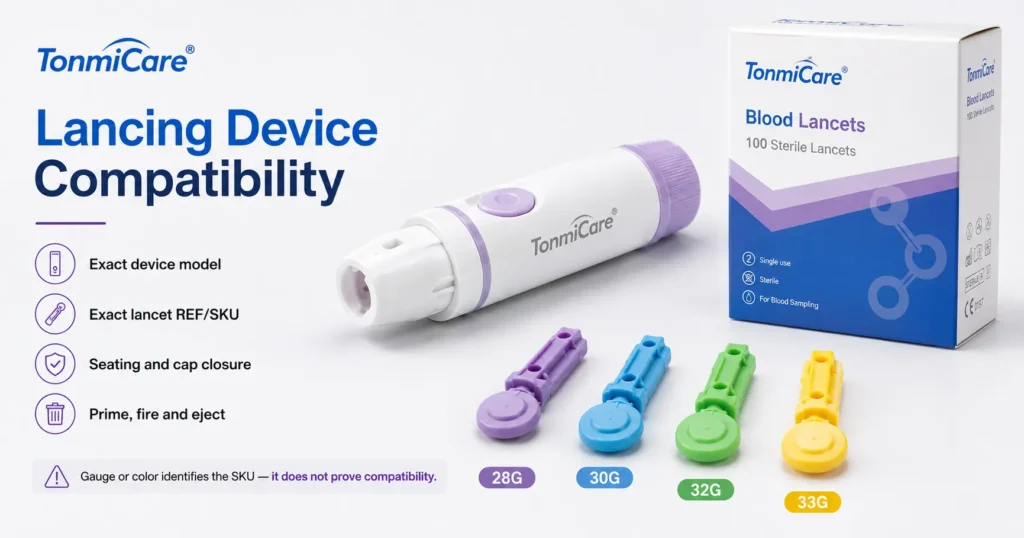
Lancet-to-Device Matching & Procurement Guide
Match the exact lancing-device model to its documented lancet family. Compare refill architectures, verify model-specific evidence and keep a traceable purchasing record.
Reviewer roles and professional profiles are listed on the Tonmit Medical Supply Editorial Team page.
Direct answer
Do All Lancets Fit All Lancing Devices?
No. Match the exact lancet to the exact lancing-device model, not just to the glucose meter brand. Standard loose lancets may support several documented devices; proprietary lancets and drums need the named system. A standalone safety lancet is not a refill. Gauge, color or physical insertion alone does not establish compatibility. Read the current device and lancet instructions, record the supported pairing and keep personal reusable devices dedicated to one person.[1][2][4][5]
Scope: B2B product review and purchasing, not patient-specific gauge/depth selection, clinical sampling instructions or validation of an unlisted pair. Follow the current labeling and applicable care-setting procedures.
System identity
1. Match the Lancet to the Device, Not the Meter
A meter reads a test strip; the lancing device holds and drives the lancet. A meter name can help identify a kit, but it is not the mechanical compatibility record. Start with the device manufacturer, exact model and generation, then identify the lancet family and REF.
OneTouch’s U.S. compatibility page separates these relationships: Delica and Delica Plus devices are listed for use with its meter systems, while both device families are specifically matched to Delica and Delica Plus lancets. That does not establish compatibility with an unrelated loose lancet.[2]
Device identity
Record the exact model, generation, supplied cap and regional instruction version. A replacement device may differ from the one originally included in a meter kit.
Lancet identity
Record the responsible manufacturer or labeler, family, REF, molded body format and gauge. A photograph helps identify the item but is not approval evidence.
Seating, cap closure, priming, release, controlled travel and removal must follow the documented pairing. Roche explicitly warns that other lancets may impair or damage its Softclix device; insertion alone cannot override that restriction.[1]
Product architecture
2. Separate Loose Lancets, Drums and Safety Lancets
| Architecture | Replenishment unit | Compatibility record |
|---|---|---|
| Standard loose lancet | One disposable lancet loaded into a reusable device | Exact body family and supported device models; a broad-fit claim needs defined limits. |
| Proprietary loose lancet | One disposable lancet with a dedicated interface | Named device and lancet families, including generation and regional restrictions. |
| Drum or cartridge | A preloaded carrier used in a matching mechanism | Exact carrier and device model; drums per box and lancets per drum are separate counts. |
| Standalone safety lancet | Complete single-use device, discarded after activation | No reusable-device refill interface. Record its own REF, activation and post-use protection. |
FastClix illustrates the carrier-based architecture: the cited UK page specifies six lancets in a drum for the FastClix device. The drum, not a loose lancet, is the loading unit. This UK example does not establish U.S. availability, packaging or disposal rules.[4]
Our M-Type and T-Type safety lancets belong outside a reusable-device compatibility matrix. Review their own specifications through the safety lancet depth and activation guide; do not describe them as pen-device refills.
Model-specific examples
3. Use Named Compatibility Statements, Not a Universal Chart
The following examples retain each official source’s product names and market scope. They explain how a compatibility record is built; they are not a list of third-party devices approved for our lancets.
| Device / market | Documented lancet family | Scope to preserve |
|---|---|---|
| Accu-Chek Softclix / U.S. | Accu-Chek Softclix lancets | Roche restricts the pairing to Softclix. A matching gauge does not override that limitation.[1] |
| OneTouch Delica and Delica Plus / U.S. | OneTouch Delica and Delica Plus lancets | The U.S. support page expressly lists both lancet families for both devices.[2] |
| MICROLET NEXT / U.S. | The current product FAQ names MICROLET NEXT lancets | The linked 06/22 insert uses the name MICROLET lancets. Retain the exact supplied label and instruction revision in the record.[3][8] |
| Accu-Chek FastClix / UK | FastClix preloaded lancet drums | The cited page specifies FastClix-only use. Do not transfer its market-specific pack or disposal statements to a U.S. order.[4] |
For a general-use loose lancet, obtain the supported models or a defined body-format claim with exclusions. Ask whether the statement covers every offered gauge REF. Where a product page and supplied instructions use different names or revisions, obtain clarification rather than broadening the approved pairing.
We offer standard twist-cap blood lancets and reusable lancing-device options. Our quotation should identify both items and the supporting compatibility scope; the examples above are not permission to substitute our products into a proprietary system.
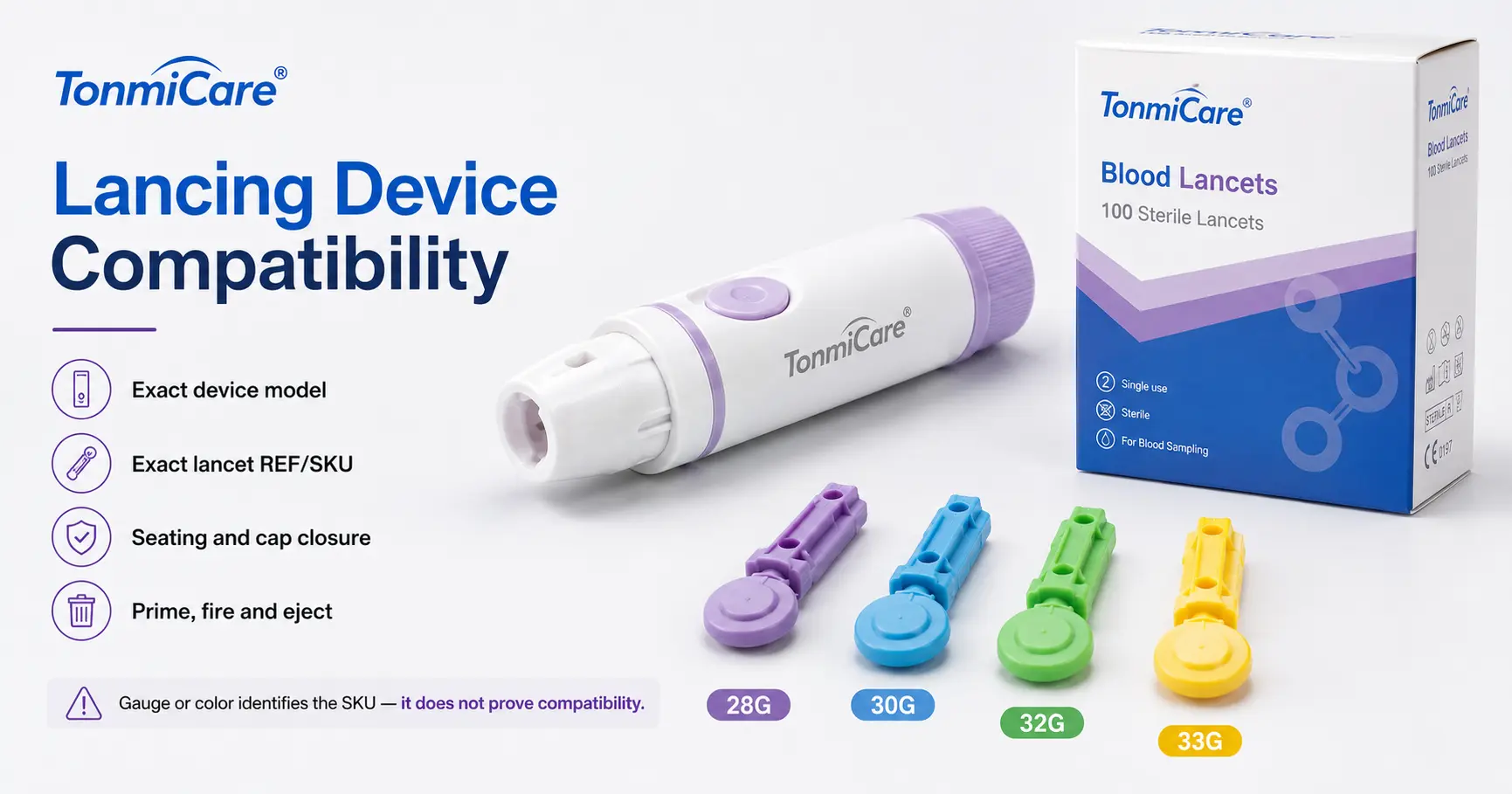
Keep the fields separate
4. Gauge and Needle Length Do Not Establish Compatibility
Gauge describes the needle, while the reusable device interfaces with the lancet body. A same-gauge replacement can have different shoulders, stops, body length or removal features. Capture these fields without treating any single measurement as an approval shortcut.
Lancet component
Gauge, body format, exact REF and any published needle dimension belong to the disposable lancet.
Device mechanism
The cap, holder, depth settings and release or ejection design belong to the identified reusable device.
Do not translate a numbered setting between brands or rename a loose lancet’s listed needle length as skin penetration depth. The MICROLET NEXT insert, for example, describes depth selection through the device’s endcap; the setting has meaning within that named system.[8]
Keep the source field name, value, unit, model and revision together. This article does not assign a depth to a patient or confirm equivalent blood yield from products with similar numbers.
Compatibility evidence
5. Resolve Restrictions Before Any Fit Observation
Use the device instructions and lancet instructions together. A dated written statement can resolve a missing detail, but it should identify the exact pair, applicable market and any exclusions. Reseller copy and customer reviews are discovery aids, not the controlling record.
| Evidence | Record | Role |
|---|---|---|
| Device instructions | Model, revision, named lancet family and restrictions | Primary device-side evidence. |
| Lancet instructions or supported-device list | Lancet REF, supported device models and market | Primary lancet-side evidence. |
| Written clarification | Responsible issuer, exact product pair and date | Resolve missing or conflicting information before approval. |
| Authorized supplementary check | Procedure, sample plan, evaluator and observations | Additional quality control after documentary support; not an override. |
A claim such as “fits most” must not replace an instruction limiting use to a named family. Record the pair as pending clarification or not supported until the conflict is resolved. Do not force a lancet into a holder to create apparent compatibility.[1]
Use-setting boundary
6. A Compatible Personal Device Still Must Not Be Shared
CDC states that fingerstick devices must never be used for more than one person. For assisted blood glucose monitoring, it recommends single-use, auto-disabling devices and point-of-use sharps disposal. Changing the disposable lancet does not make a personal reusable base shareable.[5]
| Setting | Procurement pathway | Key control |
|---|---|---|
| Personal self-testing | Supported disposable lancet plus a device dedicated to one person | New lancet for each use; care and disposal follow the supplied instructions. |
| Staff-assisted monitoring | Appropriate single-use, auto-disabling fingerstick device | One complete device per procedure; discard at the point of use. |
FDA’s 2010 labeling guidance recommends clear single-patient labeling for reusable bases and single-use labeling for disposable lancets. It is guidance, not by itself a cross-brand compatibility authorization.[6]
The current regulation, 21 CFR 878.4850(c), separately addresses multiple-use blood lancets for one patient, including mechanical performance, validated cleaning/disinfection and labeling. Meeting a general classification or quality-system requirement does not identify an approved device-lancet pair.[7]
If the intended program involves staff-assisted testing, select the appropriate device architecture first. Do not solve that workflow requirement merely by finding a cheaper refill for a personal device.[5]
Tonmit buyer worksheet
7. Build One Record for Each Device-Lancet Pair
Our blank compatibility record turns the review into a traceable purchasing document. Keep the two product identities, their supporting evidence and the internal decision together. It is a worksheet, not a completed Tonmit laboratory report or a pre-approved universal compatibility list.
| Field | What to enter |
|---|---|
| Device | Manufacturer, model, generation, REF, cap/version and market. |
| Lancet | Manufacturer or labeler, family, REF, gauge and body format. |
| Evidence | Device and lancet instruction titles, revisions, relevant pages and exact pairing statement. |
| Review decision | Pending, documented support or not supported; approver and date. |
| Receiving | Lot/serial where applicable, expiry, package level, quantity and photo references. |
| Change control | Permitted substitutions and changes that trigger another review. |
Create a new row when a kit changes its included device, a lancet body changes, or regional instructions differ. Keep prior rows for installed devices still in use. A blank evidence cell is not an approval.
Five Steps to a Documented Pair
- Identify the deviceExact model, generation and market.
- Identify the lancetFamily, REF and body format.
- Match the instructionsRecord support and exclusions.
- Record authorized checksSupplementary observations only.
- Approve and control changesOwner, date and substitution rules.
The worksheet records document matching and visible receiving information. It does not independently establish sterility, puncture depth, clinical performance or compatibility of an unlisted pair. No patient testing, inspection result or test data is represented here.
Incoming quality control
8. Record the Pair, the Lot and the Failure Stage
On receipt, compare the actual products with the approved record and purchase order. Check identity, caps and packaging, lot/expiry, quantities and unauthorized substitutions before stock release. Capture complaints against the product pair, not only against the lancet SKU.
Shipment identity
Device model and lancet REF; supplier, order and shipment. Identify mixed lots or changed pack formats.
Visible condition
Cap damage, open packaging, cracks, missing marks or an unexpected product version.
Traceability
Lancet lot and expiry; device lot or serial where applicable; package-level barcode and retained photo references.
Complaint record
Exact pair, instruction version, failure stage and safe handling of retained evidence. Segregate suspect inventory.
Roche’s Softclix handling instructions, for example, reject lancets with damaged or missing protective caps and require unexpired lancets. Those are product-specific controls to check in the relevant instructions, not assumptions about every package format.[1]
After documentary support, authorized personnel may record seating, cap closure, priming/release or ejection under an approved non-clinical procedure. Stop for abnormal force or damage. Keep evaluation units out of saleable stock, and do not treat a successful fit observation as proof of clinical performance.
Continuity and total cost
9. Control Substitutions and Legacy-Device Transitions
Price, color, box count and gauge cannot independently justify substitution. Before approving a change, check the device generation, lancet architecture, supported pairing, market label, disposable specification and pack hierarchy. Separate device and refill line items so a change to one does not silently change the other.
When a proprietary refill is discontinued, estimate demand from the installed device base rather than sales of new meter kits. Document final supply, remaining shelf life, the approved replacement system, who supplies replacement devices, customer communication and the disposition of legacy stock.
This planning expression assumes one new lancet per use and needs adjustment for available stock, demand variability and expiry. It is not a recommendation to increase testing frequency.
Compare total supported-system cost: lancets, replacement devices, qualification work, returns, support, training and obsolete inventory. For drums, separate drums per box from lancets per drum; for loose lancets, separate units per box from boxes per case. Keep freight and minimum-order quantities on the same denominator.
Buyer tools
10. Download the Pair Record and Compatibility RFQ
Use the pair record for document review and receiving, and the RFQ for the supplier handoff. Both are blank text templates. They request the device and lancet instructions, a pairing statement or supported-model list, specifications, labels, traceability fields and relevant market records.
Compatibility & Receiving Record
Record the exact pair, evidence, lot, decision and review triggers.
View or manually copy the template
Device + Lancet RFQ
Request separate product lines, evidence scope, pack quantities and supply terms.
View or manually copy the template
Keep the issuer, exact model/REF, document revision or date, applicable market and validity period where relevant with each supporting file. A company-level certificate or registration does not replace a named compatibility statement. Do not enter a product identifier from a different label or packaging level.
Buyer FAQ
11. Common Lancet-to-Device Questions
Are lancets universal?
Some standard loose families support several documented devices. Proprietary loose lancets and drums have narrower interfaces. Check the exact supported model list and exclusions; “universal” is not an unlimited approval.
Does a glucose-meter brand identify the correct lancet?
No. Identify the reusable lancing device itself. A meter kit is useful background, but its included device may differ by generation or market.[2]
Can two lancets with the same gauge be exchanged?
Not on that fact alone. Gauge does not identify the molded body or the documented pairing. Check both exact references and their instructions.
Can a safety lancet be loaded into a reusable device?
A standalone safety lancet is a complete single-use device, not a reusable-device refill. Keep it in a separate product and workflow category.[5]
Can staff confirm compatibility simply by inserting a lancet?
No. An observation can supplement documentary support under an approved evaluation procedure, but cannot override a restriction or prove controlled puncture performance.
Can a personal lancing device be shared after changing the lancet?
No. CDC advises never sharing fingerstick devices between people and recommends single-use, auto-disabling devices for assisted monitoring.[5]
What should an RFQ identify first?
The exact lancing-device model and market version, followed by the required lancet architecture and REF. Add the evidence requested, quantities, pack hierarchy and substitution restrictions.
The Record Should Identify the Pair
Keep the reusable device, disposable lancet and supporting instructions connected from quotation through receiving and any replacement. An exact pair with a documented scope is more useful than a generic “fits most” statement.
Source basis
Sources and Editorial Basis
- Accu-Chek US – Softclix lancets: compatibility and handling
- OneTouch US – Meter, lancing-device and lancet compatibility
- Ascensia US – MICROLET NEXT lancing device: product FAQ
- Accu-Chek UK – FastClix lancet drums: architecture and compatibility
- CDC – Considerations for blood glucose monitoring and insulin administration
- FDA – Blood Lancet Labeling guidance, issued November 29, 2010
- eCFR – 21 CFR 878.4850: blood lancet classifications and special controls
- Ascensia – MICROLET NEXT instruction insert, revision 06/22
Sources checked September 21, 2026. Product examples retain the stated market and source terminology. The MICROLET FAQ and linked insert use different lancet names; resolve the exact supplied version before purchase. The FastClix UK example is not a U.S. availability or disposal statement. FDA guidance and the current regulation have different roles; neither supplies a universal cross-brand compatibility list.
Prepared by Tonmit Medical Supply Editorial Team. Reviewed by James Wilson, Product Specification Reviewer; Michael Thompson, Quality Documentation Reviewer; and David Anderson, Regulatory Research Reviewer. Reviewer roles and professional profiles are listed on the Editorial Team page. Our worksheet is an original blank procurement tool, not a completed inspection or clinical study. Product instructions and market records may change; keep their revisions with the purchasing record.
Device + Lancet Supply Review
Send the Exact Device and Lancet Requirement
Share the device model, lancet family or REF, destination, quantity and requested compatibility evidence. We can review our reusable-device and disposable-lancet supply options as separate, matched quotation lines.
RFQ subject: Lancing Device + Lancet Compatibility Review